Does “simple” mean “cheap and limited”? Not really. Simple construction project management software is any tool your field crew will open without being told to. If your superintendent won’t touch it, the features don’t matter.
Most small and mid-size GCs need five things: daily logs, RFIs, punch lists, photo storage, and a way to share drawings. Everything else is optional. Here is how to pick a tool that does those well and stays out of your way.
What Simple Construction Project Management Software Should Mean on a Jobsite
Simple is not a feature count. It is how many taps it takes to log a daily report from a truck cab with gloves in your pocket.

Picture a 12,000 sq ft tenant improvement with a crew of eight and one super. He spends maybe ten minutes a day on documentation. If the software needs twenty, he stops using it by week three, and you are back to texts and paper.
Test any tool against three questions. First, can the super log weather, manpower, and a photo in under five minutes? Second, will a sub view the current drawing set without creating an account? Finally, can you export a clean PDF of a daily log when a dispute lands on your desk?
If the answer to any is no, keep looking. A tool that fails those checks is not simple, whatever the sales page says.
Six Features Worth Paying For (and Four You Can Skip)
Here are the features that earn their keep on small to mid-size jobs:
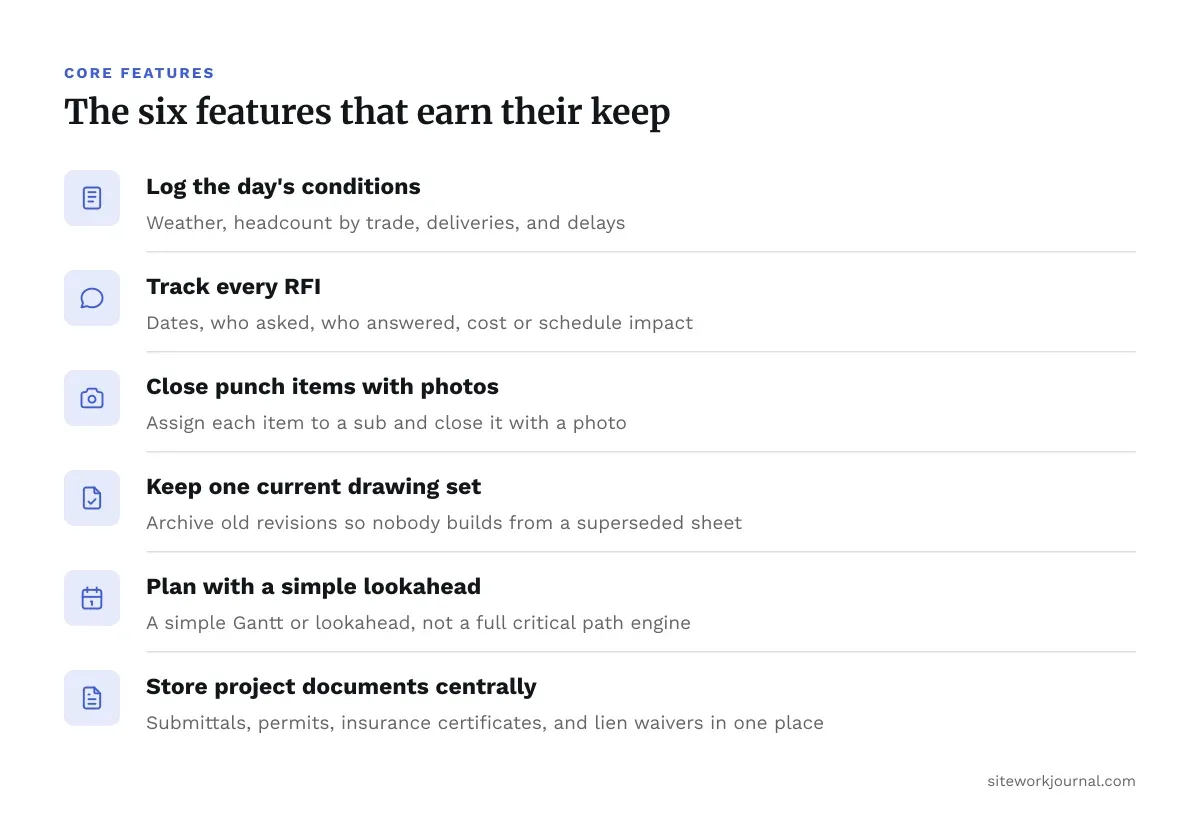
- Daily logs. Weather, headcount by trade, deliveries, and delays. This is your best defense in a delay claim.
- RFI tracking. A log with dates, who asked, who answered, and the cost or schedule impact.
- Punch lists with photos. Assign each item to a sub and close it with a photo.
- Drawing management. One current set, with old revisions archived so nobody builds from a superseded sheet.
- Basic scheduling. A simple Gantt or lookahead, not a full critical path engine.
- Document storage. Submittals, permits, insurance certificates, and lien waivers in one place.
Skip these until you actually need them: built-in payroll, BIM coordination, advanced bid management, and AI scheduling add-ons. Paying for them early is the most common way small firms overbuy.
The Honest Tradeoff: Simple vs. Enterprise
Large platforms exist for a reason. Procore prices by annual construction volume with custom quotes, which fits a firm running multiple projects with dedicated admin staff. It is a poor fit for a five-person GC doing three remodels a year, because setup and training eat time you do not have.
Here is the reverse. A cheap, simple tool can break down once you add multiple subs, change orders, and owner reporting. If you are heading toward $5 million or more in annual volume, plan for the migration cost of switching later.
A rough rule works well. One to three active projects and a small office suggests simple software. Five or more concurrent jobs with a project manager per job suggests mid-tier. Once owners or lenders start requiring specific reporting formats, you are in enterprise territory.
For a wider comparison, see this roundup of the best construction project management software.
Comparing Simple Construction Project Management Software Side by Side
Pricing in this category changes often, and many vendors hide it behind a sales call. Treat the table below as a starting point and confirm current quotes before you commit.
| Tool | Best for | Pricing model | Weak spot |
|---|---|---|---|
| Procore | Multi-project GCs with admin staff | Custom, based on annual construction volume | Heavy setup, overkill for small crews |
| HammerTech | Safety and compliance-driven sites | Custom quote by tier; GO plan scales with annual revenue | Narrower on financials and scheduling |
| Buildertrend | Residential builders and remodelers | Tiered monthly plans | Less suited to commercial subs |
| Fieldwire | Field task and plan management | Free tier, then paid plans | Light on accounting |
| CoConstruct | Custom home builders | Monthly subscription | Weaker for commercial work |
HammerTech is built around safety onboarding and site compliance rather than general project management. If your main headache is orientation, credentials, and incident tracking, it deserves a look. If you need RFIs and submittals first, it is the wrong starting point.
Rolling It Out Without Losing Your Crew
Most failed rollouts die in the first month. The tool was fine. The launch was not.
Start with one project, not the whole company. Pick a mid-size job with a super who is open to trying something new. Run it for four weeks and fix what breaks before you scale.
Next, train subs in ten minutes, not an hour. Show them one thing: how to view the current drawings and submit a photo. If they have to create a password and navigate five menus, they will ignore the invite.
Then set one non-negotiable rule. Daily logs get filed by end of day, every day. Check compliance weekly for the first month. A super who skips logs for ten days will not suddenly resume on day eleven.
Finally, keep paper backup for the first two weeks. It sounds old-fashioned. It also saves you the first time Wi-Fi drops on a basement pour.
Wrap-Up: Pick the Tool Your Super Will Open
The best simple construction project management software is the one your field team uses daily. A modest tool with 100 percent adoption beats a powerful one that sits unused.
Start small, test on a single job, and judge it by how fast your super can file a daily log. Scale only when the tool starts to feel too small, not before. If you are comparing the bigger platforms, our full software roundup covers the next tier up.
One more point. Software will not fix a broken process. If your RFIs are already lost in email and your punch lists live in a notebook, clean those habits up first, then pick the tool that fits them.
Common Questions About Simple Construction Project Management Software
Do I need a legal review of my daily logs?
Daily logs can become evidence in a delay or payment dispute. How they are kept and what they should record is a question for your construction attorney, not your software vendor.
Who signs off on code or inspection items tracked in the tool?
The software tracks status. It does not interpret code. Inspection sign-off belongs to your AHJ, and structural questions belong to a licensed engineer.