Paper inspection forms get lost, photographed badly and filed after the fact. Construction safety inspection software replaces that with timestamped checklists, photos and assigned corrective actions on a phone.
This guide covers what the software does on a live job, how SafetyCulture and Fieldwire compare, and where HammerTech and Procore fit. It also shows how to run a rollout that your foremen will actually use.
What Construction Safety Inspection Software Actually Does
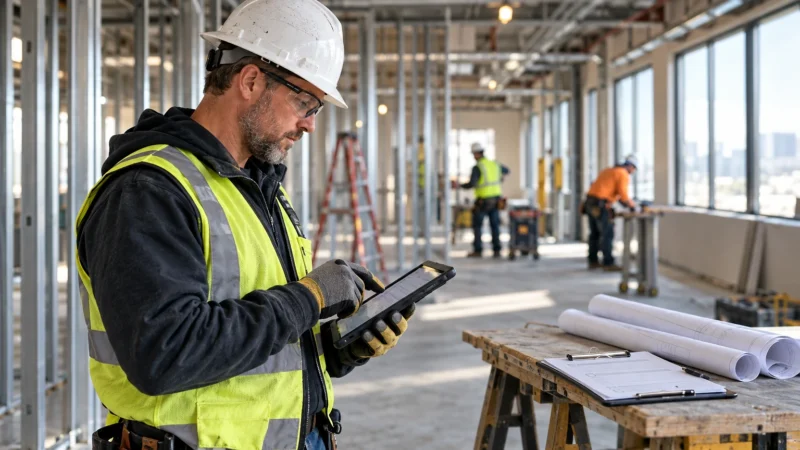
The core job is simple. First, you open a template, walk the site, answer pass/fail items, attach photos and flag failures. In addition, each failure becomes an action with an owner and a due date.
In fact, that last part is what paper never did. A missing guardrail on level three gets logged at 7:10 a.m. and assigned to the framing foreman before the crew starts. When he closes it with a photo, the record shows when.
Most tools also work offline. That matters in a basement, a parking structure or a rural site with no signal. Check that the app syncs cleanly when you walk back into coverage, because a lost inspection is worse than a paper one.
Software does not make you compliant. Instead, it documents what you did. Whether a condition meets OSHA requirements is a call for your safety manager or, where the stakes are high, a qualified consultant.
Fieldwire vs. SafetyCulture: Two Ways to Approach Inspections
These two tools solve different problems, so compare them by how your team already works.
Option A: SafetyCulture
SafetyCulture is built around the checklist. In short, you pick or build a template, run the inspection on a phone and the issues flow out of it. Indeed, it started as iAuditor and still feels like an audit tool first.
The Free plan is $0 per seat per month and includes 5 active inspection templates. Premium is $24/seat/mo billed annually or $29/seat/mo billed monthly, with unlimited active templates, advanced analytics and unlimited data and evidence history. Premium has a 30-day free trial. Lite seats for occasional users start from $5/seat/mo, billed annually. Enterprise is custom.
It suits multi-site contractors and safety leads who want to run the same toolbox-talk and housekeeping templates across ten jobs. It is weaker on construction documents. You will not manage drawings or RFIs here.
Option B: Fieldwire
Fieldwire is a field management app first. Checklists sit beside plans, tasks, specs and punch lists. The inspection is pinned to a sheet, so “missing edge protection” lands on the plan at the grid line where it was found.
The Basic plan is free, limited to 5 users, 3 projects and 100 sheets. Pro is $54/user/mo monthly or $468/user/yr. Business is $79/user/mo monthly or $768/user/yr. Business Plus is $104/user/mo monthly or $1,068/user/yr. Enterprise is custom.
It suits a superintendent running one project who wants safety, quality and punch in one app. Its weakness is analytics. If your safety director wants trend reports across every site, you will build them yourself.
The price gap is real. A 10-person field team on Fieldwire Pro annual billing runs $4,680 a year. The same team on SafetyCulture Premium annual runs $2,880. You are paying Fieldwire’s premium for plans and tasks, not for better checklists.
Enterprise Platforms: HammerTech and Procore
At larger scale, safety stops being a standalone app. It becomes part of how you prequalify subs and track site access.
HammerTech sells to contractors who need subcontractor onboarding, orientations and site access alongside inspections. Its published pricing is a custom quote per tier, covering Standard, HammerTech GO and Enterprise. HammerTech GO is on a sliding scale by annual construction revenue. Expect a sales call, not a price list.
Procore bundles safety into its broader project management platform. Pricing is a custom quote based on annual construction volume. If your company already runs Procore for cost and drawings, adding its safety tools avoids a second login for every sub.
The trade-off is cost and rollout time. A small GC with $8 million in annual volume rarely needs either. Both are better for contractors with a dedicated safety department and subs who must be vetted before they badge in.
Construction Safety Inspection Software: Quick Picks by Job Type
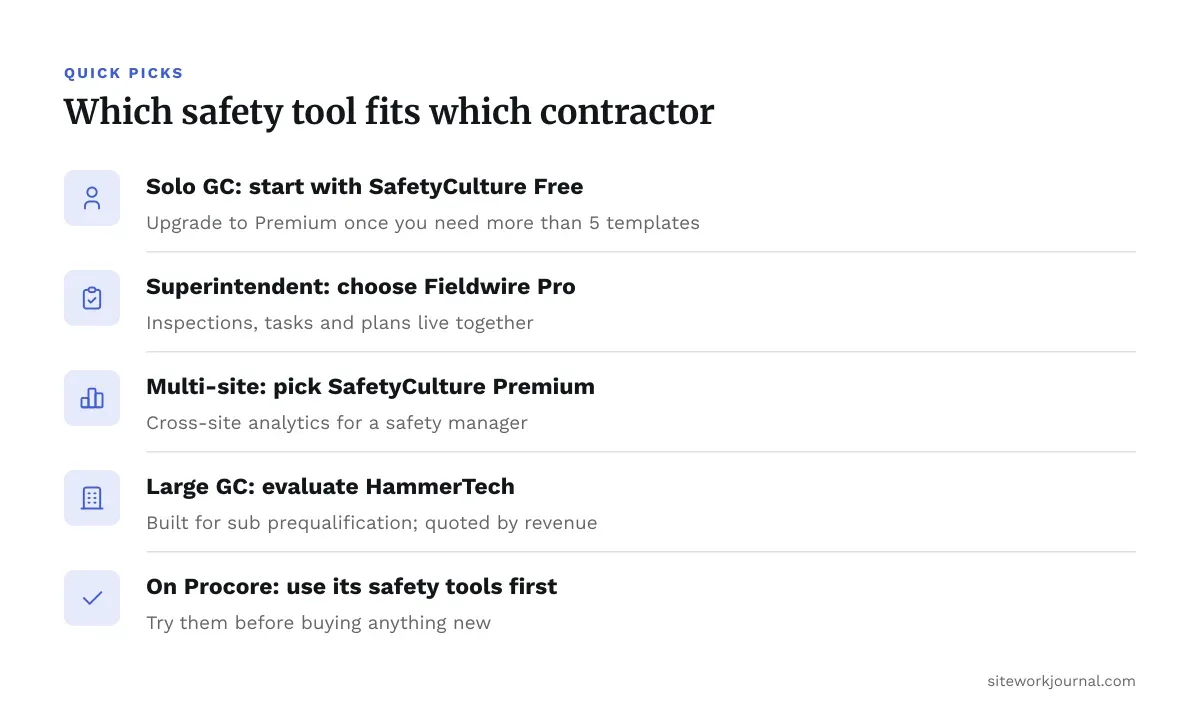
- Solo GC or small crew, tight budget: SafetyCulture Free, then Premium once you need more than 5 templates.
- Superintendent managing one active project: Fieldwire Pro, so inspections, tasks and plans live together.
- Multi-site contractor with a safety manager: SafetyCulture Premium for cross-site analytics.
- Large GC with sub prequalification needs: HammerTech, quoted by revenue.
- Already on Procore for project management: use its safety tools before buying anything new.
What a Field Inspection Template Should Cover
A template that takes 40 minutes gets skipped. Therefore, aim for 15 to 25 items a foreman can finish during a normal walk.

Above all, start with what actually causes injuries on your jobs: fall protection, trenching, ladders, electrical cords, housekeeping, PPE and hot work. Build separate templates by activity instead of one master form. For example, a daily excavation check differs from a weekly scaffold inspection.
Also, keep each item a yes/no with a photo prompt on failures. Free-text boxes produce vague notes like “needs attention.”
Here is a practical daily walk template:
- Perimeter and edge protection in place on open floors
- Ladders tied off, rated and free of damage
- Extension cords off the ground, no damaged jackets
- Trench or excavation protection present where required
- Fire extinguishers charged and accessible
- Walkways clear of debris and material
- PPE worn by every worker in the area
- Hot work permits posted where applicable
Have your safety manager review the template before rollout. Whether a trench meets the protective system requirements for its soil type is a competent-person decision. The software only records that someone made it.
Rolling Out Construction Safety Inspection Software Without a Revolt
Foremen reject tools that add paperwork. Introduce the app by replacing something, not adding to it. Retire the clipboard form the same week.
Run a two-week pilot on one active project. Pick a superintendent who likes the technology and let him adjust the template. Then show his foremen that failures get fixed faster, because the assignment goes straight to their phone.
Watch for three problems. Seats get shared on one login, which kills your audit trail. Subs refuse to download another app. And inspections get filled in at the trailer at 4 p.m. instead of on the walk.
Fix the last one by checking timestamps and photo locations in review. If every inspection closes at the same minute, the walk did not happen.
Decide upfront who owns follow-up. Corrective actions with no due date pile up and become a liability record of problems you knew about and ignored. Talk to your construction attorney about retention and what the records could mean in a claim.
Choosing Construction Safety Inspection Software for Your Operation
Match the tool to your biggest pain. If you lose inspection records, start with SafetyCulture’s free tier and prove the habit. Meanwhile, teams juggling plans, punch and safety find that Fieldwire consolidates them. If you manage dozens of subs, HammerTech or Procore earn their quote process.
Pilot before you commit annual billing. Both SafetyCulture and Fieldwire let you start free, and a month on a real job tells you more than a demo.
Whatever you pick, the software only works if the walk happens. Treat it as a record of good habits, not a substitute for them. For code questions, AHJ requirements or legal exposure, bring in a licensed engineer, your local authority or a construction attorney.
Pricing verified 2026-10-19. Check the vendor site for the latest.
Frequently asked questions
Is construction safety inspection software required by OSHA?
No. OSHA does not require a specific software product. It requires that you identify and correct hazards, and software is one way to document that. Your safety manager can confirm what records your operation needs.
Can I use a free plan on a real jobsite?
Yes, within limits. SafetyCulture’s Free plan covers 5 active templates, and Fieldwire’s Basic plan covers 5 users, 3 projects and 100 sheets. A small crew can run daily walks on either. You will outgrow them as headcount or project count rises.
What construction safety inspection software features matter most for field use?
Offline mode, photo capture with timestamps and assigned corrective actions matter most. Dashboards look good in a demo but do little if foremen skip the inspection. Test the app in your worst signal area first.
Do my subcontractors need to buy their own seats?
It depends on the tool and how you set up access. Some contractors give subs guest access or have them complete forms through your account. Ask each vendor how external users are licensed before you promise anything to a sub.
When do I need an enterprise platform like HammerTech or Procore?
When you manage prequalification, orientations and site access for many subs across several jobs. Under that scale, a template tool plus a good process usually costs less and rolls out faster. Both vendors quote by volume or revenue, so request pricing before you decide.