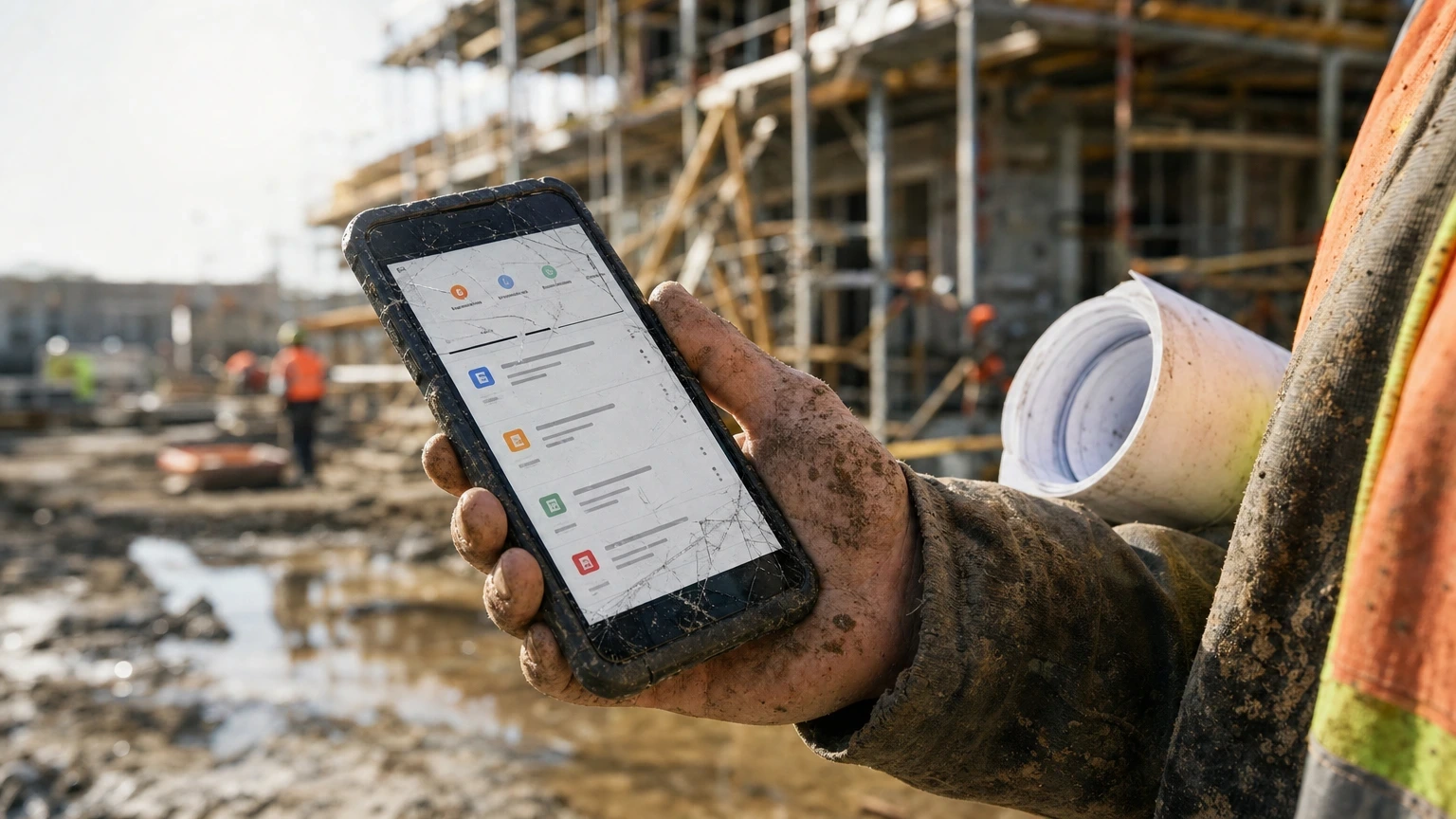
Here’s what nobody tells you: the best construction project management software is not the one with the most features. It’s the one your super will actually open on a phone with cracked glass while standing in mud.
Plenty of GC shops have rolled out three different platforms in under a decade and watched two of them die on the vine because field crews wouldn’t touch them. Instead, this roundup ranks software on adoption, RFI and submittal turnaround, and whether it survives a jobsite with no signal.
Table of contents
Software is only half the job: see also our guide to construction safety management on active sites.
- Best construction project management software: quick picks
- 1. Procore, best overall construction project management software
- Overview
- Key benefits
- Pros and cons
- Best for
- Verdict
- 2. Buildertrend, best for residential and remodel GCs
- Overview
- Key benefits
- Pros and cons
- Best for
- Verdict
- 3. Autodesk Build, best for BIM-heavy commercial work
- Overview
- Key benefits
- Pros and cons
- Best for
- Verdict
- 4. CoConstruct, best for custom home builders
- Overview
- Key benefits
- Pros and cons
- Best for
- Verdict
- 5. Fieldwire, best for daily task and punch list management
- Overview
- Key benefits
- Pros and cons
- Best for
- Verdict
- 6. PlanGrid, best for drawing markup and as-built records
- Overview
- Key benefits
- Pros and cons
- Best for
- Verdict
- Construction project management software comparison table
- Buying guide: choosing the best construction project management software
- Construction project management software that gets used on-site
- Frequently asked questions
Best construction project management software: quick picks
| Rank | Product | Best for | Price |
|---|---|---|---|
| 1 | Procore Editor’s pick | Mid-size to large commercial GCs | Check official site |
| 2 | Buildertrend | Residential and remodel contractors | Check official site |
| 3 | Autodesk Build | GCs already running BIM 360 or Revit | Check official site |
| 4 | CoConstruct | Custom home builders and small remodelers | Check official site |
| 5 | Fieldwire | Task management and punch lists on active sites | Check official site |
| 6 | PlanGrid | Drawing markup and as-built tracking | Check official site |
1. Procore, best overall construction project management software
Editor’s pick: Procore wins because it’s one of the few platforms where subs actually update their own schedule tasks without a super chasing them down.
Overview
Procore has become the default answer when someone asks what the best construction project management software is for commercial work. On a $14 million mixed-use build, the RFI log alone can compress average response time from something like 11 days to 4, mostly because every open question gets one owner and a visible clock.
In fact, it handles budgets, submittals, daily logs, drawings, and closeout in one place. The learning curve is real, figure two to three weeks before your PMs stop calling the help desk.
Key benefits
- Unlimited users on most plans, so you’re not paying per seat when you add a new sub
- Also, drawing markup syncs to the field in under 30 seconds on a decent LTE connection
- Financial module ties change orders directly to your GMAX contract, which matters on anything AIA-billed
- Daily log photos timestamp and geotag automatically, useful when a claim dispute lands on your desk 18 months later
- Integrates with QuickBooks and Sage 300, so your accountant isn’t re-keying invoices
- Likewise, the punch list module exports directly to PDF for owner walk-throughs
Pros and cons
Pros: deep feature set, strong mobile app, real customer support (not just a chatbot), scales from a single $2 million job to a $200 million program.
Cons: pricing is opaque until you talk to sales, and small resi remodelers will find 80% of the tool overkill.
Best for
GCs running commercial or multifamily jobs over $3 million with dedicated PM staff. However, it is not built for a two-truck remodeling outfit.
Verdict
If your bonding capacity is north of $10 million and you’re juggling five active jobs, Procore is worth the onboarding pain.
2. Buildertrend, best for residential and remodel GCs
Ever tried running change orders over text message with a homeowner? That’s the problem Buildertrend fixes.
Overview
Instead, Buildertrend leans toward custom home builders and remodelers, not high-rise crews. On a run of $400,000-$900,000 custom homes, the client portal is typically what kills the “when’s the tile coming” phone calls.
Key benefits
- Also, the client portal lets homeowners approve selections and change orders without a phone call
- Similarly, built-in scheduling with lead-lag dependencies for trade sequencing
- Finally, a warranty tracking module post-closeout, handy for that one-year builder’s warranty most states require
Pros and cons
Pros: strong for client-facing communication, decent estimating templates, mobile app works offline and syncs later.
Cons: reporting is weaker than Procore’s, and larger commercial features (like union payroll tracking) aren’t there.
Best for
Residential GCs and remodelers doing 10-40 jobs a year who need to keep homeowners in the loop.
Verdict
Buildertrend earns its spot when your biggest pain point is client communication, not multi-tier subcontractor coordination.
3. Autodesk Build, best for BIM-heavy commercial work
Overview
Autodesk Build makes sense if your design team already lives in Revit. On a hospital addition, model-based clash detection can catch a duct conflict that would otherwise surface mid-framing as a six-figure change order.
It’s part of the Autodesk Construction Cloud, so if you’re already paying for BIM 360, the jump isn’t a huge lift.
Key benefits
- Also, native 3D model viewing works in the field, with no separate app needed
- Clash detection flags MEP conflicts before rough-in starts
- Likewise, cost management ties directly to model quantities for takeoff accuracy
Pros and cons
Pros: unmatched for design-build and CM-at-risk jobs with heavy BIM coordination, strong document control.
Cons: steep price for smaller shops, and the interface still feels like three products stitched together because it kind of is.
Best for
CM-at-risk and design-build GCs on projects over $8 million with an in-house or partnered BIM team.
Verdict
Skip this unless BIM coordination is already part of your workflow. Otherwise you’re paying for horsepower you won’t use.
4. CoConstruct, best for custom home builders
Overview
CoConstruct has been a staple for small custom builders for over a decade, and Buildertrend actually acquired it a few years back while keeping it as a separate product. Builders running a dozen spec homes a year often stay for the selections module alone, which keeps client change requests out of scattered email threads.
Key benefits
- Similarly, selections sheets keep allowances and upgrades organized by room, cuts down on billing disputes at closeout
- Also, single-entry estimating flows straight into your budget, with no double data entry
- Besides, it is simple enough that a two-person office can run it without a dedicated software admin
Pros and cons
Pros: fast to learn, strong for allowance and selection tracking, solid for spec and custom home builders.
Cons: not built for multi-story commercial, and scheduling tools are thinner than Procore’s or Buildertrend’s.
Best for
Custom home builders and small remodelers doing under $5 million in annual volume.
Verdict
A tight, no-nonsense tool if your business is building houses, not chasing commercial GMP contracts.
5. Fieldwire, best for daily task and punch list management
Overview
Still, sometimes you don’t need a full ERP. Often, you just need your foreman to close out punch items without a paper clipboard. Fieldwire does that job better than almost anything else on this list.
It also works as a bolt-on to a barebones accounting system on smaller tenant improvement jobs under $1.5 million, where a full Procore rollout isn’t worth the setup time.
Key benefits
- Task assignment with photo attachments works offline, syncs when you get signal
- Also, plan markup tools are fast, with no lag even on older tablets
- Cheaper tier structure than the full-suite platforms if all you need is field coordination
Pros and cons
Pros: lightweight, fast onboarding (under a day for most crews), strong for punch lists and daily task tracking.
Cons: no real financial or budgeting module, so you’ll still need separate accounting software.
Best for
Supers and PMs who need field task tracking without committing to an all-in-one platform.
Verdict
Fieldwire is the right call when your pain point is field coordination, not back-office finance.
6. PlanGrid, best for drawing markup and as-built records
Overview
PlanGrid has been folded into Autodesk’s construction lineup, but it still functions well as a standalone tool for drawing management. Used purely for as-built markups on a large renovation, it can save a closeout team weeks of digging through paper redlines, since every sheet carries its own revision history.
Key benefits
- Also, version control on drawings prevents crews from working off outdated sheets
- Likewise, hyperlinked sheet sets let you jump between related details fast
- Finally, markup history creates a clean as-built record for the owner’s facility team
Pros and cons
Pros: excellent for drawing control and version tracking, simple interface, minimal training needed.
Cons: limited scheduling and budgeting features compared to Procore or Buildertrend, and Autodesk has been slowly merging it into Autodesk Build, so its long-term standalone future is unclear.
Best for
GCs and subs who mainly need rock-solid drawing version control and as-built documentation.
Verdict
Good narrow tool, but check whether Autodesk still sells it standalone before you commit budget to training on it.
Construction project management software comparison table
| Product | Price | Best for | Standout feature |
|---|---|---|---|
| Procore | Check official site | Commercial GCs, $3M+ jobs | Full RFI-to-closeout workflow |
| Buildertrend | Check official site | Residential/remodel GCs | Client portal for change orders |
| Autodesk Build | Check official site | BIM-heavy commercial/design-build | Model-based clash detection |
| CoConstruct | Check official site | Custom home builders | Selections and allowance tracking |
| Fieldwire | Check official site | Field task/punch list management | Fast offline plan markup |
| PlanGrid | Check official site | Drawing version control | As-built markup history |
Buying guide: choosing the best construction project management software
First, start with your contract volume, not your feature wish list. For example, a GC running two $600,000 remodels a year doesn’t need what a $50 million commercial shop needs, no matter how good the demo looks.
Ask three questions before you sign anything. First, will field crews actually use it on a phone with one bar of signal? Second, does it integrate with your existing accounting system, whether that’s Sage 300, QuickBooks, or Foundation? Third, what happens to your data if you cancel, can you export your daily logs and RFIs, or are you locked in?
Pricing structures vary. Some platforms charge per user, others license by annual construction volume, and a few bundle modules so you pay for financial tools you’ll never touch. Get a real quote before assuming any listed “starting price” applies to your crew size. And test the mobile app in the field, not in the sales demo, before your onboarding period ends.
Construction project management software that gets used on-site
The gap between “best construction project management software” on paper and software that survives six months in the field is bigger than most vendors admit. $80,000 annual contracts get shelved all the time because the PM team defaults back to spreadsheets and text threads within 90 days.
Procore earns the top spot because adoption sticks, not because it has the longest feature list. But if you’re a residential remodeler, Buildertrend or CoConstruct will serve you better and cost less to onboard. Therefore, match the tool to your contract size and crew literacy with tech, not the other way around.
Whatever you pick, run a 30-day pilot on one active job before rolling it out company-wide. Besides, that’s cheaper than finding out in month four that your foremen never opened the app.
The pattern across every rollout is the same: construction project management software succeeds or fails on whether the field crew will open it on a phone in the rain, not on the feature matrix the vendor demos.
Before you sign, run a two-week pilot on one live job. Construction project management software that survives a real schedule change, a wet week and a late submittal is the one worth standardising on.
Judged on that basis, construction project management software is a field tool first and a reporting tool second. Choose construction project management software your foremen will keep open, and the office reporting follows on its own.
Pick construction project management software the crew will open on a phone.
Frequently asked questions
What is the best construction project management software for small GCs?
For crews doing under $5 million a year in residential or remodel work, Buildertrend or CoConstruct are the better fit. By contrast, Procore and Autodesk Build carry more overhead than a small office needs.
How much does construction project management software typically cost?
Usually, pricing varies widely by user count, project volume, and modules included. Most vendors require a custom quote, so check price on the official site and get a number based on your actual crew size and contract volume, not a generic sticker price.
Can you run construction management software without reliable jobsite internet?
Yes. Fieldwire and PlanGrid are both built to work offline and sync once you’re back in signal range. Procore’s mobile app also caches recent data, but heavy files like full drawing sets sync slower on weak connections.
Do you need different software for commercial versus residential jobs?
Generally yes. Meanwhile, commercial GCs need budget tracking tied to GMAX or lump-sum contracts, submittal logs, and multi-tier sub coordination, which points toward Procore or Autodesk Build. By contrast, residential builders need client-facing tools like selections and change order approval, which Buildertrend and CoConstruct handle better.
Will construction management software replace your estimator or scheduler?
No, and don’t let a sales rep tell you otherwise. Overall, these tools organize data and speed up communication. They don’t replace a licensed estimator’s judgment, a PM’s schedule logic, or a licensed engineer’s stamp on structural changes. So bring in the right professional for anything that touches code compliance or structural design.