
Think payroll software is just QuickBooks with a hard hat on? It isn’t. Construction payroll has to handle certified payroll reports, multi-state tax jurisdictions, and union fringe calculations. On top of that, crews move between job costing codes three times a day.
Get it wrong and you’re not just late paying Luis on Friday. You’re looking at a DOL audit over a misclassified apprentice rate or a prevailing wage violation on a public job. This piece breaks down what construction payroll software actually needs to do, what it costs, and where each platform falls short.
Why General Payroll Tools Fail on Job Sites
A standard payroll platform assumes one pay rate per employee and one location. Construction doesn’t work that way.
Your framing crew might work a $28/hour job costing code in the morning. Then the same person moves to a $31/hour prevailing wage task that afternoon. ADP and Gusto handle W-2s fine, but neither natively tracks job costing by cost code, phase, or equipment allocation without heavy workarounds or add-on modules.
Certified payroll is the bigger gap. Federal and many state-funded jobs require WH-347 reports under the Davis-Bacon Act, listing hours, classifications, and fringe benefits per worker, per project, per week. General payroll software doesn’t generate these. You end up exporting data into a spreadsheet and rebuilding the report by hand. As a result, GCs end up with transposed numbers and an auditor on the phone.
Union fringe reporting adds another layer. Multi-employer trust funds want monthly remittance reports broken out by local, by trade, and by benefit type (health, pension, training fund). Miss a contribution deadline and some trusts charge liquidated damages on top of the shortfall.
Six Features Construction Payroll Software Must Have
Before you demo anything, check the platform against this list. Skip any of these and you’re buying a headache with a login screen.

- Certified payroll reporting that generates WH-347 (or your state’s equivalent) automatically from time entries, not a manual rebuild.
- Multi-rate, multi-state wage tables so a worker on a Texas job one week and an Oklahoma job the next gets taxed and paid correctly without manual overrides.
- Union fringe and benefit tracking tied to local agreements, including pension, health, and training fund splits per hour worked.
- Job costing integration that pushes labor hours straight into cost codes and phases, not a separate CSV import three days later.
- Mobile time capture with GPS stamping, so field crews clock in from the actual site and supers aren’t reconciling paper time cards on Sunday night.
- Retainage and burden rate calculations that factor workers’ comp, liability insurance, and payroll taxes into true labor cost per hour, not just gross wage.
A payroll run that skips job costing integration looks fine until month-end, when your PM asks why labor burn on the foundation package doesn’t match the budget. By then the data’s already wrong in three places.
Comparing the Top Construction Payroll Platforms
Here’s how the main players stack up on the features that matter for job-site crews, not back-office HR teams.
| Platform | Certified Payroll | Job Costing | Union Fringe Tracking | Mobile Time Entry | Pricing Model |
|---|---|---|---|---|---|
| Foundation Software | Yes, built-in | Deep, native | Yes | Yes, via app | Quote-based |
| Viewpoint (Trimble) | Yes | Deep, native | Yes | Yes | Quote-based |
| Procore | Limited, via integration | Strong | Limited | Yes | Custom, annual construction volume-based |
| ADP Workforce Now | No native | Weak | No | Yes | Quote-based |
| QuickBooks Payroll | No | Weak | No | Limited | Tiered subscription |
Procore’s pricing is custom quote based on your annual construction volume, same structure you’ll find if you’ve looked at Procore’s published pricing for its broader project management suite. It’s strong on job costing because that’s core to the platform, but certified payroll runs through a third-party integration rather than a native module, so verify that workflow before you commit a union job to it.
Foundation and Viewpoint are purpose-built construction ERPs, not general payroll tools with a construction skin. That’s why they handle certified payroll and fringe tracking natively. The tradeoff is cost and implementation time: expect a multi-week setup process, not a weekend signup.
Five Platforms Worth Shortlisting (Quick-Pick List)
If you don’t have time to demo ten vendors, start with these five. Each serves a different size and type of operation.
- Foundation Software – best for GCs running 50+ field employees with heavy certified payroll and union reporting needs.
- Viewpoint Vista (Trimble) – best for larger commercial contractors already in the Trimble ecosystem for estimating and project management.
- Procore – best if you’re already running project management and want payroll data to flow into the same job cost reports.
- ADP Workforce Now – best for contractors with simple, non-union, single-state crews who mainly need reliable tax filing.
- QuickBooks Payroll – best for small residential remodelers or specialty subs under 15 employees with no prevailing wage exposure.
None of these is universally “best.” A 12-person residential remodeler buying Foundation Software is paying for modules it’ll never touch. A 200-employee commercial GC running certified payroll on QuickBooks is asking for a DOL finding.
Setting Up Job Costing Without Breaking Payroll
Job costing and payroll sync fails most often at the cost code level, not the software level.
Here’s the typical breakdown: your estimator sets up cost codes one way (03-300 for concrete placement, 03-310 for formwork), but the super’s field app has crews clocking into generic “concrete” buckets. The payroll run then can’t map hours to the right phase, and your cost reports show phantom overruns or savings that aren’t real.
Fix this before go-live, not after. Walk your cost code structure from estimating software, whether that’s Sage Estimating or a spreadsheet takeoff, directly into the payroll platform’s job setup. Match codes exactly, same numbering, same phase breakdown. If your estimator uses 16 divisions and your payroll system only supports 8 cost categories, you’ll lose granularity and your WIP reports will be useless for change order negotiations.
Equipment time matters here too. If an operator runs an excavator for 6 hours and does manual labor for 2, that’s two different burden rates and possibly two different cost codes. Software that can’t split a single day’s time card across multiple codes and rates isn’t built for heavy civil or site work.
Common Payroll Mistakes That Trigger Audits
⚠️ Warning: Misclassifying a worker’s trade on a prevailing wage job can trigger back-wage liability for every hour worked at the wrong rate, not just the hours going forward.
What keeps auditors interested:
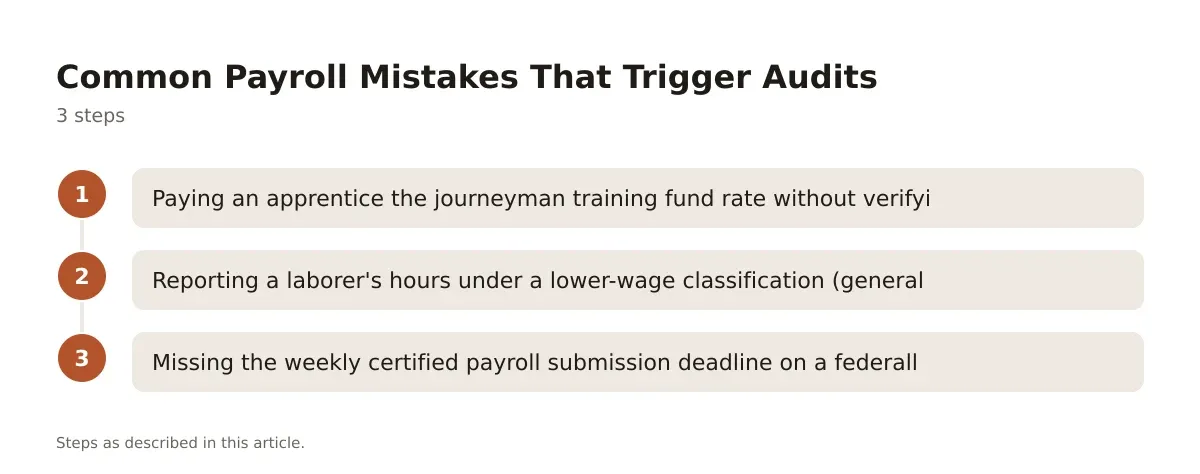
The three mistakes below show up in nearly every DOL or state labor investigation tied to construction payroll.
- Paying an apprentice the journeyman training fund rate without verifying registered apprenticeship status with the state apprenticeship agency.
- Reporting a laborer’s hours under a lower-wage classification (general labor) when the actual work performed, say, operating a skid steer, falls under a higher prevailing wage classification.
- Missing the weekly certified payroll submission deadline on a federally funded job, which some contracting officers treat as a material breach of contract.
Does payroll software prevent these mistakes automatically?
No. Software flags rate mismatches and missing certifications if you configure the wage tables correctly, but someone on your team still has to verify classifications against the actual scope of work performed each day. The system only knows what you tell it; it can’t walk the site.
Making the Switch Without Losing a Pay Period
Changing payroll systems mid-project is risky, but waiting until after a DOL finding is worse.
Run parallel payroll for at least one full cycle, old system and new system side by side, before you cut over completely. Compare gross pay, tax withholding, and job cost allocation line by line. Any discrepancy over a few dollars per employee means your wage table setup has an error, not your math.
Migrate historical data for open, active jobs only. You don’t need five years of closed-project payroll history clogging the new system; archive it and export PDFs for records retention, which most states require for at least 3 years under wage and hour recordkeeping rules.
Train your field supers before your office staff. They’re the ones entering time daily, and if the mobile app confuses them, you’ll get sloppy time cards that corrupt everything downstream regardless of how good the back-end software is.
Construction payroll software earns its cost on the first certified payroll report you don’t have to rebuild by hand, and on the first multi-state tax filing that doesn’t need a CPA to untangle. The platforms that actually work for field crews (Foundation Software, Viewpoint, and to a narrower extent Procore) cost more and take longer to implement than general-purpose payroll tools, but they’re built around job costing and compliance reporting instead of bolting it on afterward.
If you’re a small sub with no prevailing wage exposure, don’t overbuy. If you’re running union crews across multiple states on federally funded work, don’t underbuy either; the gap between what QuickBooks can do and what a DOL audit demands is where contractors get hurt. Talk to your CPA about tax jurisdiction setup and a construction attorney about any existing wage classification disputes before you migrate systems, not after.
Pricing on all of these platforms is quote-based and tied to employee count or revenue, so get a written quote for your actual crew size before comparing numbers, not a sales rep’s ballpark figure.
Frequently asked questions
What is certified payroll and does all payroll software support it?
Certified payroll is a weekly report (commonly WH-347) required on federally funded construction projects under the Davis-Bacon Act, listing each worker’s hours, trade classification, and wage rate. Not all payroll software generates it natively; general tools like ADP or QuickBooks typically require manual rebuilding or a third-party add-on.
How much does construction payroll software typically cost?
Pricing across the major construction-specific platforms, including Foundation Software and Viewpoint, is quote-based and scales with employee count and feature set, so there’s no flat published rate. Procore’s pricing is also custom and tied to your annual construction volume. Get quotes from at least two vendors against your actual crew size before comparing.
Can construction payroll software handle union fringe benefits?
Platforms built specifically for construction, like Foundation Software and Viewpoint, track fringe benefit splits (health, pension, training) per union local and per hour worked. General payroll tools generally don’t support this without manual configuration or a separate union benefits module.
What happens if I misclassify a worker’s wage rate on a prevailing wage job?
You can be liable for back wages covering every hour worked at the incorrect classification, not just hours going forward, plus potential penalties depending on the contracting agency. If you suspect a classification error on an active job, bring in a construction attorney or your labor compliance officer before self-correcting, since the fix itself can trigger additional reporting obligations.
Do I need to run payroll software and project management software separately?
Not necessarily. Procore integrates payroll data into its broader job costing and project management suite, and Foundation Software and Viewpoint both combine payroll with accounting and project controls natively. The right choice depends on whether your estimating and PM workflows already live in one of those ecosystems or whether you’re running a standalone accounting setup.
Because payroll data feeds the general ledger, it also helps to line this up with your construction accounting software before you commit to a platform.