
Most GCs lose 2 to 4 hours a week to scheduling by phone and text. That’s one crew lead chasing down who showed up, who didn’t, and who’s double-booked across two sites. Construction employee scheduling software exists to end that scramble.
Construction employee scheduling software fixes that by putting crew assignments, certifications, and job locations in one place everyone can see. Not every tool does it well. Here’s what actually works on an active job site, and what doesn’t.
What Construction Employee Scheduling Software Needs to Do on a Job Site
Scheduling software for construction isn’t office software with a hard hat sticker on it. It has to survive a foreman with gloves on, spotty jobsite signal, and a crew that changes daily.
The core job: match the right trade, certification, and headcount to the right site on the right day. That sounds simple until you’re running five jobs with 40 guys and three of them need a current OSHA 30 card to be on site at all.
Good tools track certifications and expirations next to the schedule itself, not in a separate spreadsheet. If a electrician’s license lapses, the system should flag it before you assign him to a commercial job that requires it. OSHA inspectors don’t care that your spreadsheet was out of date.
The other non-negotiable is offline function. A super standing in a basement pour with no bars needs to see tomorrow’s crew list without waiting for a signal. If the app just spins, it’s a liability, not a tool.
Mobile Access and Offline Reliability for Field Crews
Office-based scheduling tools fail on job sites because job sites don’t have reliable connectivity. Steel-frame buildings, parking structures, rural sites: all of them kill signal.

The test is simple. Pull up the app, turn on airplane mode, and see what still works. Workyard and Busybusy both cache the day’s schedule locally so a foreman can check assignments without a signal. Some competitors require a live connection for anything beyond viewing a cached screen, which means no clock-in, no reassignment, nothing.
GPS time tracking tied to the schedule matters here too. When a worker clocks in, the app should confirm they’re at the assigned geofenced site, not three blocks away at a different job. That data also protects you on prevailing wage jobs where certified payroll reports get audited.
Battery drain is a real complaint on these apps. Constant GPS polling on an old Android phone in a tool belt pocket will kill a battery by 1pm. Ask any vendor what their polling interval is before you roll it out to 50 guys.
Certification Tracking in Construction Employee Scheduling Software
This is where generic scheduling tools from the retail or restaurant world fall apart. They don’t know what an OSHA 10, a confined space cert, or a crane operator license is. They don’t flag when one’s about to expire.
Construction-specific platforms build compliance into the assignment screen itself. You try to put a worker on a scaffold-heavy job. The system checks whether their fall protection training is current. If it’s not, it blocks the assignment or at least throws a warning the scheduler has to override.
Procore handles this well for larger GCs already using Procore for project management. That’s because certifications live in the same system as the schedule and the daily log. The downside: Procore’s workforce module is priced for mid-size and larger contractors. It’s overkill if you’re running three guys and a pickup.
For smaller shops, a standalone tool like Connecteam tracks certs and sends expiration alerts without requiring you to buy a full project management suite. It’s not going to tie into your estimating software, though, so you’re still re-entering some data.
Whatever you pick, confirm it generates a report you can hand to an auditor or an AHJ inspector showing who was certified for what, on what date. That report has saved GCs from fines more than once, and it’s the single best argument for switching off paper.
Weather Delays, Rain Days, and Crew Reshuffling
A schedule that can’t move fast when weather turns isn’t a schedule, it’s a wish list. Concrete pours get scrubbed, roofing crews get pulled. You need to shift 15 guys to an indoor job in under an hour.
The better platforms let a PM drag-and-drop a whole crew from one job to another from a phone. Push a notification to every affected worker at once. Compare that to the old method: texting six guys individually and hoping they see it before they drive to the wrong site.
Look for built-in weather integration. Jobber and some construction-specific tools pull a basic forecast into the scheduling view. So a super planning tomorrow’s pour sees the rain chance next to the crew list, not in a separate weather app.
Reshuffling also needs an audit trail. If a worker gets sent home on a rain day, your payroll system needs to know whether that’s a paid show-up minimum under a union agreement or an unpaid cancellation. States vary on reporting-time pay rules. A few (California among them) require a minimum payment even when work is canceled same-day. Check your state’s wage and hour rules or talk to a construction attorney before you build that policy into the software’s pay rules.
Integration With Payroll, Time Tracking, and Project Costing
Scheduling software that doesn’t talk to payroll just creates a second data entry job. You want the hours worked against a specific job code to flow straight into job costing, not get retyped by someone in the office on Friday afternoon.
Most construction-focused platforms integrate with QuickBooks or Sage at minimum. Workyard and Busybusy both push time entries tagged by job and cost code directly into accounting software, which matters when you’re tracking labor burden against a bid.
Here’s where it gets real: if your estimate budgeted 420 labor hours for framing on a job and the schedule shows 480 hours booked by week six, you want that variance flagged automatically, not discovered at month-end when the job’s already in the red. That link between scheduling and job costing is the actual value, more than the calendar view itself.
Union shops have an extra wrinkle. Certified payroll and fringe benefit reporting needs to match hours to the right classification and rate. Not every scheduling tool handles prevailing wage classifications correctly out of the box. So test this with a sample job before committing.
Comparing the Main Platforms
Picking between these tools comes down to crew size, whether you need full project management or just scheduling. How much you’re already invested in another system like Procore or QuickBooks.
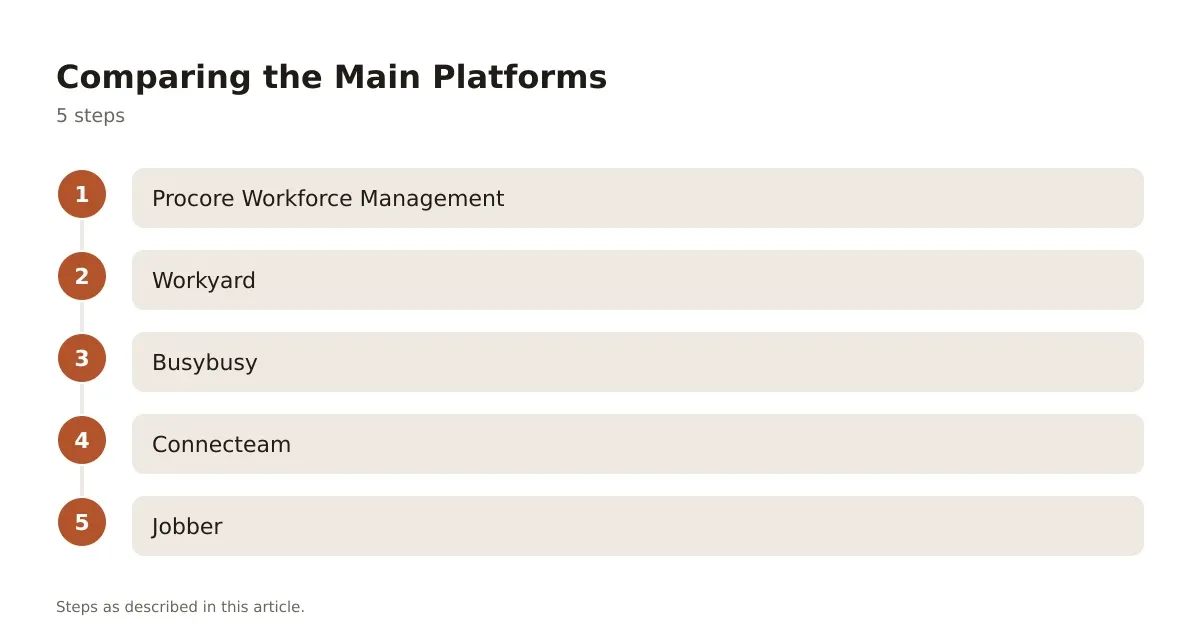
- Procore Workforce Management – best for mid-size to large GCs already on the Procore platform, with the deepest certification tracking and tie-in to project docs and daily logs.
- Workyard – strong GPS accuracy and job costing integration, good for GCs who need tight labor cost tracking across multiple active sites.
- Busybusy – simple time tracking with scheduling layered on, offline-friendly, a reasonable fit for smaller crews that don’t need heavy compliance features.
- Connecteam – flexible and affordable for small to mid-size shops, strong on cert alerts, weaker on deep job-costing integration.
- Jobber – built more for service and trade businesses than large commercial GCs, but useful for smaller remodeling or specialty contractors who want scheduling plus basic weather and routing.
| Platform | Best For | Offline Mode | Certification Tracking | Payroll Integration |
|---|---|---|---|---|
| Procore Workforce | Large GCs, multi-site | Partial | Strong | QuickBooks, Sage |
| Workyard | Job costing accuracy | Yes | Moderate | QuickBooks |
| Busybusy | Small-mid crews | Yes | Basic | QuickBooks |
| Connecteam | Small shops, certs | Yes | Strong | Limited |
| Jobber | Trade/service contractors | Partial | Basic | QuickBooks |
None of these are free for a real crew. All run on a per-user, per-month model, so your cost scales directly with headcount. A 50-person crew on any of them is a meaningfully different bill than a 6-person crew.
Switching Construction Employee Scheduling Software Without Losing a Week
The biggest mistake GCs make switching tools: rolling it out mid-project across every job at once. Pick one active job, run it in parallel with your current method for two weeks, and only then cut over fully.
Train your foremen first, not your office staff. The foreman is the one standing in the mud deciding whether to pull a crew off a slab pour. If he can’t make the app do that in ten seconds, he’ll go back to texting. Budget a half day of hands-on training per crew lead, not a webinar link.
Data migration matters more than people expect. Pull your current certification records, emergency contacts, and job assignments into a clean spreadsheet before you import anything. That’s because garbage data in year one creates compliance gaps that show up during an audit eighteen months later.
Scheduling software earns its keep through fewer no-shows, fewer compliance misses, and tighter labor cost tracking against your bids. Don’t buy it expecting it to fix a crew culture problem, though. It manages information; it doesn’t replace a foreman who knows his people.
Three things decide the right platform: crew size, union or open shop, and how deep your accounting system already goes. A six-person remodeling outfit and a 200-person commercial GC need genuinely different tools, not the same tool at different price tiers. Start with the compliance and payroll integration questions before you get distracted by calendar views. Those two pieces are what actually prevent fines and job-cost blowouts.
Frequently asked questions
What does construction employee scheduling software typically cost?
Most platforms price per active user per month. So your monthly cost scales with crew size rather than being a flat fee. Confirm current pricing directly on each vendor’s site, since tiers and add-on modules (like certified payroll reporting) change the total.
Can this software replace a certified payroll process?
It can generate the hours and job cost data a certified payroll report needs. But it typically doesn’t replace your payroll provider or legal review of prevailing wage compliance. Confirm classification and rate handling with your payroll company or a construction attorney before relying on it for a public works job.
Does scheduling software work without cell signal on remote sites?
Several platforms, including Workyard and Busybusy, cache the day’s schedule locally so crews can view assignments offline. But actions like clock-in or reassignment may be limited until signal returns. Always test a tool on your worst-signal site before rolling it out company-wide.
How do I handle reporting-time pay rules when weather cancels a shift?
Reporting-time pay requirements vary by state, and some states require a minimum payment even for same-day cancellations. Check your state labor department’s wage and hour rules, or ask a construction attorney, before building a cancellation policy into your scheduling software’s pay settings.
Is union certified payroll compatible with these tools?
Some platforms handle prevailing wage classifications and fringe benefit reporting well. But it varies by vendor and isn’t guaranteed out of the box. Run a sample union job through the system during your trial period to confirm it matches your actual reporting requirements before full rollout.